Showing posts with label note 8. Show all posts

Tuesday, December 5, 2017

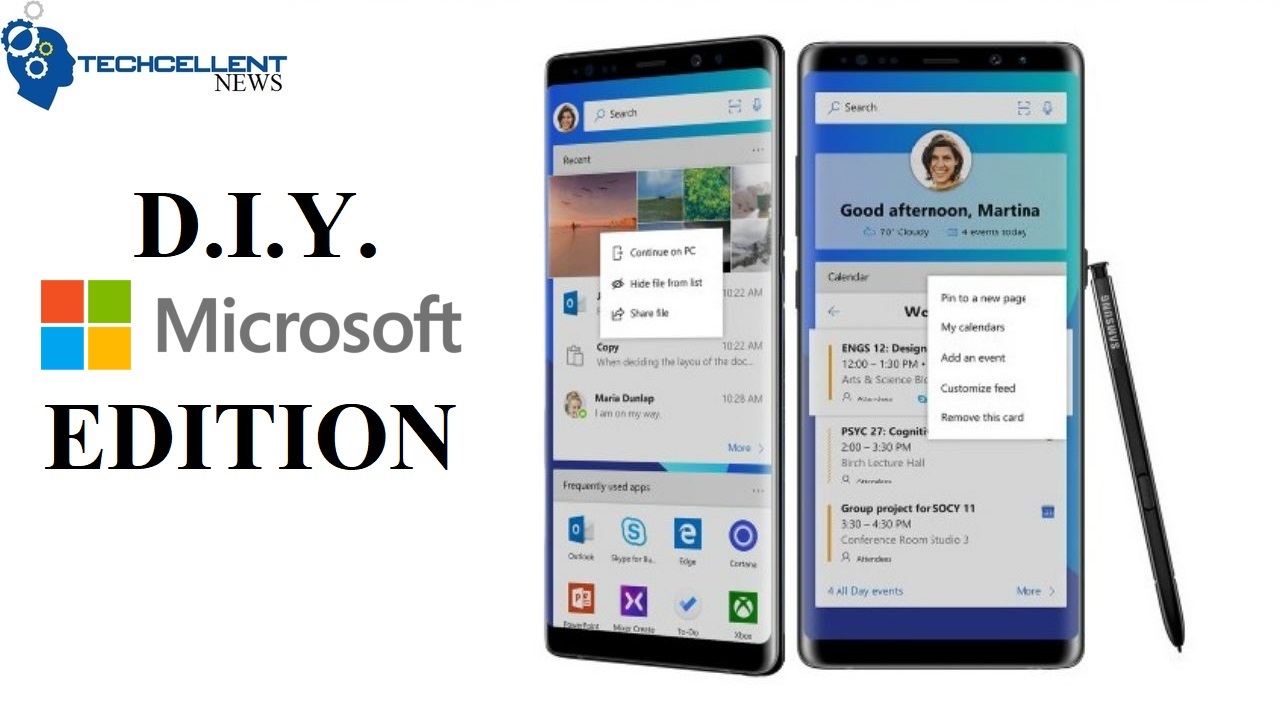
How to Create the Microsoft Edition Samsung Galaxy Note 8 Without Root

Microsoft has confirmed that the company will no longer develop windows phones after they failed to make any significant impact on the smartphone market. The company is now focusing primarily on developing applications for alternative mobile operating systems. The company has also begun selling a “Microsoft Edition” of the popular Samsung Galaxy S8 and Galaxy Note 8 smartphones. Even Microsoft founder Bill Gates recently revealed he switched to a Samsung Galaxy with plenty of Microsoft apps.
You can have these Microsoft Edition Samsung phones whether you bought them from Microsoft directly or not. (It may be best to not purchase directly from Microsoft, considering it appears to be less expensive that way.)
For our do-it-yourself Microsoft Edition Note 8, it starts with Microsoft’s new Android launcher.
  1. Install Microsoft Launcher
  2. Install Microsoft Apps
    1. Outlook
    2. Word
    3. OneNote
    4. To-Do
    5. Microsoft Edge Browser
    6. Cortana
    7.  Additional Microsoft Apps
  3. Install Next Lock Screen
    1. Download Lock Screen Anime Wallpaper
  4. Install Zedge Ringtones and Wallpapers
    1. Download Windows Logo Wallpaper
    2. Download Windows MMS Notification
    3. Download Windows Phone Ringtone
  5. Install Note Buddy
    1. Go into Settings > Advanced Features > Turn off the S Pen sound
    2. Download Attach and Detach audio files
    3. Open My Files > Move both audio files to sd card or media file
    4. Open Note Buddy App > Enable > Sound > Toggle on Detach/Insert Sound
    5. Apply Detachment and Insertion Sound
  6. Disable Bixby & Remap Bixby Button
    1. Download BK Package Disabler (Samsung) from the Play Store. Yes, it costs $1.49.
    2. Download BK Plugin 2
    3. Launch BK Package Disabler and slide over to the right for SYSTEM.
    4. Apply check marks to all functions to completely disable Bixby. See full list HERE.
    5. Download bxActions Bixby Button Remapper & bxActions Pro – Yes, it is $1.99.
    6. Launch bxActions and start app process 
    7. Connect device to computer
    8. Allow access to phone data
    9. Locate your device
    10. Locate bxActions file
    11. Open application within the file
    12. Open bxActions app on phone to enable rempapping
    13. Grant app permission for bxActions – Bixby button
    14. Disable Bixby Home (may have to be enabled beforehand then disabled)
    15. Make sure to keep Bixby button remapping enabled
    16. Open “Actions” to customize your desired actions
    17. Choose Cortana Mic then test
How to Properly Remap Bixby Button Without Root.
HOW TO CHANGE GALAXY NOTE S PEN SOUND TO LIGHTSABER SOUND.

Samsung Galaxy Note8 (US Version) Factory Unlocked Phone - 6.3" Screen - 64GB - Orchid Gray…
By Samsung Telecommunications America, LLC (STA)
$949.99
Rated 4 out of 5 by 107 reviewers on Amazon.com


Samsung Galaxy Note 8 Case, RhinoShield [CrashGuard] Heavy Duty 11ft Drop Protection [High…
By Evolutive Labs
$24.99
Rated 4.5 out of 5 by 31 reviewers on Amazon.com

Wednesday, November 22, 2017

SAMSUNG GALAXY NOTE 8 REVIEW, SPECS AND PRICE

Samsung’s Galaxy Note 8 has been on the market for over two months now. I have been using the phablet as my daily driver since its release. To be honest, there is a lot to like  here with a few things that bug me for me to say that it is the “perfect phone.”
However, those things are personal preference and despite them, the Galaxy Note 8 is a solid device that I continue to use. It certainly has it pros and cons. So before you watch the video review, here’s what you are getting into:

Galaxy Note 8 Specs

    • 6.3″ Infinity Super AMOLED display
    • Qualcomm Snapdragon 835 processor
    • 6GB of RAM
    • 64GB of storage
    • microSD support up to 256GB
    • Dual 12-megapixel cameras (wide/telephoto) with autofocus and OIS
    • 8-megapixel F/1.7 front camera with autofocus
    • Iris scanner
    • Fingerprint sensor
    • Heart rate sensor
    • IP68 water and dust proof certification
    • Stylus Pen
    • Bluetooth 5.0
    • USB Type-C
    • 3.5mm headphone jack
    • 3,300mAh battery with fast-charging and wireless charging
    • Android 7.1.1 Nougat
    • $950 originally. *prices may vary*
After the highly publicized troubles of the Note 7, the Galaxy Note 8 is definitely a comeback victory for Samsung. Combining 2017 flagship hardware standards with a stylus, resulting in a device that is sure to be in the top ranks for smartphone of the year. We could certainly do without the inclusion of Bixby, the location of the fingerprint scanner and the insane price tag, but hey, at least you’re getting what you pay for.
How to Properly Remap Bixby Button Without Root.
HOW TO CHANGE GALAXY NOTE S PEN SOUND TO LIGHTSABER SOUND.

Monday, June 26, 2017

Reportedly The Samsung Galaxy Note 8 Will Be Revealed In September With $950 Price Tag

According the reports, Samsung is readying the reveal of the Galaxy Note 8 toward the beginning of September with a surprisingly high price tag of $950.
The Note 8 is expected to look nearly identical to the Galaxy S8 Plus with only a slight increase to a 6.3″ screen size. Samsung is reportedly including it’s signature S-Pen, a dual camera system and 6GB of RAM to further differentiate it from the S-line. Oddly enough, a leaked promotional poster shows the flash and fingerprint scanner between the dual camera.
According to the recent report, the company just might take the wraps off the upcoming Note during IFA in Berlin, which starts September 1. This hasn’t been confirmed yet, so there’s still a chance that they will reveal it in mid-August.
Samsung Reportedly Skipping Display-Integrated Fingerprint Sensor On Note 8.
Galaxy Note 8 Could Feature Samsung’s First-Time Camera Tech.

Tuesday, June 13, 2017

Sources Claim Samsung Will Announce Galaxy Note 8 in August

Samsung’s Galaxy Note phones have traditionally been unveiled in September, until last year’s Note 7 disrupted that trend with an August 19 announcement date.
And now according to sources, the Galaxy Note 8 could see an announcement similar to it’s predecessor. The sources claim that Samsung has decided to “accelerate the launch of the Galaxy Note 8,” to get a head start on the upcoming Apple iPhone 8.

It was expected that Samsung would take more time in releasing the Note 8 to ensure the launch went off without a hitch. However, it seems that the company is looking to steal the thunder from the release of Apple’s next iPhone.
The Note 8 is expected to have an impressive screen-to-body ratio, like the S8+ and a dual camera lens setup. August is only two months from now, so we’ll have to wait and see what Samsung does with their phablet.
Samsung Reportedly Skipping Display-Integrated Fingerprint Sensor On Note 8.
Galaxy Note 8 Could Feature Samsung’s First-Time Camera Tech.
Receive Updates
No spam